Welcome to the Family Album
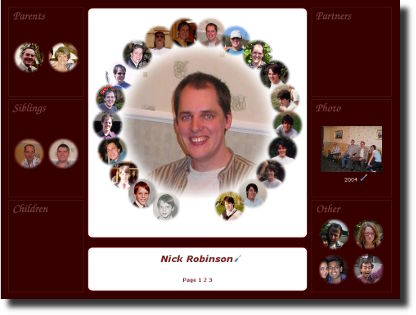
Welcome to the Family Album, a place to store pictures of your loved ones.
Getting Started
Do you want to see a typical Family Album page, then click on the image on the right. It will take you to my page, and from there you can explore the rest of my family.
Navigating the Family Album
 Find a Family
This web site can store many family albums. Use the "Find a Family" link to pick the family you are interesting in. When you first enter this web site, a default family is used (my family!).
 Family Details
Gives various details about the family you have chosen. It isn't the most interesting page, and most people will want to skip straight to the Family Members instead.
 Family Members
This is the most popular page, it lists all of the family members, and from there, you can click through to each person's page.
 Friends
Does exactly the same as the Family Members page, except it lists friends only. The friends are kept seperate from the family members to ensure that the number of friends doesn't ovverwhelm the family (and this is site is aimed primarily at family, not friends).
 Pets
Pets
Does exactly the same as the Family Members page, except it lists just the pets. Pets are given their own page, so that they don't have to appear on the main Family Members page.
 Albums
An album is a collection of photos, and each family may have lots of photo albums. This page lists all of the albums. It is especially useful for those people who are active members of the family, who upload photos.\
 Editing
Everything within the family album is editable by you. Wherever you see the screwdriver icon, you can edit something. If you aren't sure how to get to the thing you want to edit, use the large edit button near the top right of each page.
Feedback
Very few people have used the Family Album, so I need your feedback on how to make it better. I'd be very grateful for a quick e-mail; telling me which bits are good, and which aren't so good.
I am frequently updating the software, and your feedback will make the next version better. Thanks.
For those using Internet Explorer (especially version 6 and lower), I strongly recommend upgrading to a good web browser such as Firefox. Internet Explorer does not display transparent images correctly, and these images are heavily used in this Family Album. more info...